00AI-CAD Engineering Platform
By Bluecoderhub · Chennai
Coming soon · MVP in development
From a written requirement to a CAD model, drawings and a bill of materials.
We are building engineering software for mechanical engineers, product designers and manufacturers. It covers six tasks, from the first 3D model to the bill of materials, and an engineer approves every design decision. It has not been released yet. Engineering teams can join the early-access list.
Example part · third-angle drawing
01What the platform does
Six engineering tasks, connected.
One request goes through the whole chain: the 3D model, then the drawings, then the bills of materials that depend on them. One system makes all three, so they stay in agreement.
01/06
Example part
- 01
3D CAD design creation
Generate parametric CAD models from natural-language engineering requirements.
Sketch 120 × 80 · extrude 10 · Ø32 boss
- 02
3D CAD modification
Modify existing models, dimensions, features, and assemblies using engineering instructions.
Boss height 14 → 22 · rib added
- 03
2D engineering drawing creation
Generate engineering drawings from 3D CAD designs.
Plan view · dimensions taken from the model
- 04
2D drawing modification
Update drawings and annotations when engineering requirements change.
Rev A · boss moved to the centreline
- 05
Engineering Bill of Materials (E-BOM)
Create and maintain structured engineering component lists.
Five items · ballooned from the assembly
- 06
Manufacturing Bill of Materials (M-BOM)
Develop manufacturing-oriented product structures from engineering designs and production requirements.
Make: weldment · Buy: pin, M8 bolts
02How our technology works
One request in. A model, drawings and BOMs out, all in agreement.
A coordinating system reads your request, runs CAD operations under your engineering constraints, and records the result as structured data. It is built so the model, the drawings and the BOM always agree, and so an engineer approves every design decision.
- 01
Interpret
The system reads the engineering request: the text you write, plus the constraints and structured engineering data behind it.
- 02
Plan
It plans the CAD operations the request needs: features, dimensions, assemblies, and the drawing and BOM changes that follow from them.
- 03
Execute
The operations run through supported CAD engines, as parametric geometry the engineer can inspect and edit.
- 04
Document
The drawings, E-BOM and M-BOM are generated from the model for you to review, and they stay consistent with it.
03How we build
Language models read. Solvers build.
Language models are good at understanding what someone asked for. They cannot be trusted to confirm that a wall is 3 mm thick. So a model reads the request and a solver produces the geometry. You write in plain language and get exact dimensions back.
Engineering-native AI
Models that work with parametric intent, sketch constraints and manufacturability rules: the things a mechanical engineer checks on every part.
Exact geometry
A language model reads what you asked for. A constraint solver produces the geometry, because a part has to match its dimensions exactly.
Security in the first release
Sign-in, permissions, input validation and audit logs are part of the first version that customers will use.
Engineers stay in control
The platform suggests a change and the engineer approves it. Nothing in the model, the drawings or the BOMs changes until someone has reviewed it.
04Parametric CAD intelligence
Parametric models, built for manufacturing.
The kinds of mechanical assembly the platform is being built to model, each shown against the workflow it illustrates. These are concept illustrations; the product is in development and has not produced them.
Concept illustration. The product did not make this.
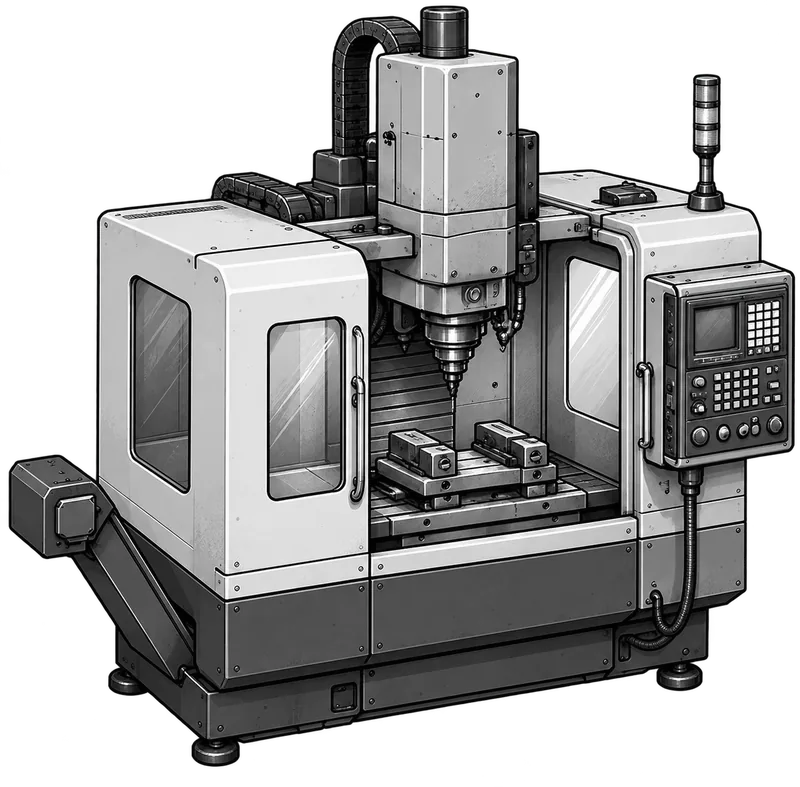
Machine assembly
Five-axis machining centre
An example of the multi-part assemblies the platform is being built to create from written engineering requirements.
Design target
Parametric geometry an engineer can inspect and edit
05Questions
Questions about AI-CAD.
Can I use the AI-CAD Engineering Platform today?
Not yet. It is an MVP under active development and has not been commercially released. Engineering teams can ask for early access, which is free.
What does AI-CAD produce from a written requirement?
A parametric 3D CAD model, 2D engineering drawings, and the engineering and manufacturing bills of materials (E-BOM and M-BOM), kept consistent with each other.
Does the engineer stay in control of the design?
Yes. The platform suggests a change and the engineer approves it. Nothing in the model, the drawings or the BOMs changes until someone has reviewed it.
How will AI-CAD be sold?
As business software: a subscription for engineering teams, and enterprise licences for manufacturers and product-development companies. Prices are not set yet.
06Development status
MVP under active development.
- 01We have developed an early demonstration of the core engineering workflow.
- 02We are continuing to develop, integrate, test, and validate our AI and engineering modules.
- 03The full platform is not yet commercially released.
07Business model
Built for engineering teams and manufacturers.
AI-CAD is software for businesses. We plan to sell it as a subscription to engineering teams, and under enterprise licences to manufacturers and product-development companies.